![recess-icon-aqua-transparent.png]](https://help.recess.is/hs-fs/hubfs/recess-icon-aqua-transparent.png?height=40&name=recess-icon-aqua-transparent.png)
How to Cancel an Event:
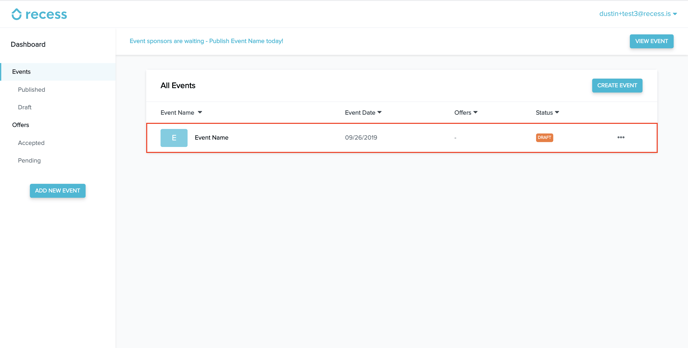
Go to the event listing from your Published Events and click the event that you would like to cancel.
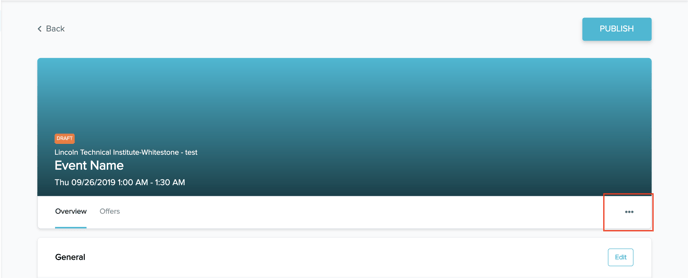
Click the three dots to display a drop-down menu of event options.
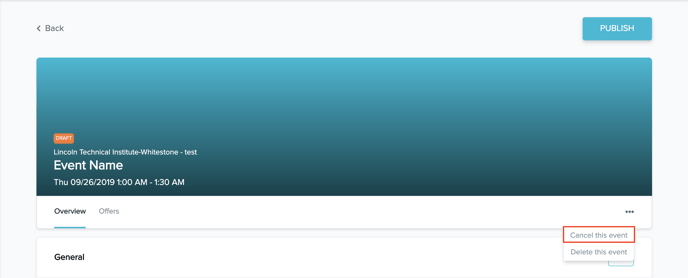
Click "Cancel this event"
What happens if you have accepted a sponsorship offer and cancel an event?
If you cancel an event that has accepted a sponsorship offer it will automatically deny those sponsorship offers. If you have another event that could be a potential fit for these sponsors please email events@recess.is
If you have accepted a sponsorship offer and cancel your event due to a Force Majeure there is no cancellation fee. If you cancel your event without a Force Majeure you will be bound to our cancellation policy in our Organizer Terms of Service.