![recess-icon-aqua-transparent.png]](https://help.recess.is/hs-fs/hubfs/recess-icon-aqua-transparent.png?height=40&name=recess-icon-aqua-transparent.png)
After your activation, you submit a recap on the Recess platform. Recaps confirm the activation was completed and trigger your payout.
Where to find your recaps
- Log into the Recess platform.
- Click the Recaps tab in the top navigation.
- Use the filters (Brand, Venue, Dates, Status) to find the recap you need.
Reading your recap list
Each card shows the brand, event name, location, and due date. Two counters track how many required photos and questions are still missing.
Status badges:
- Started — you’ve saved at least one answer.
- Completed — submitted and waiting for Recess to review.
- Published — approved by Recess; payout is processed.
- Unsubmitted — Recess found an issue. You’ll see the reason and can fix it and resubmit.
How to fill in a recap
Click Edit on any recap to open it. You can save and come back later — just submit before the due date.
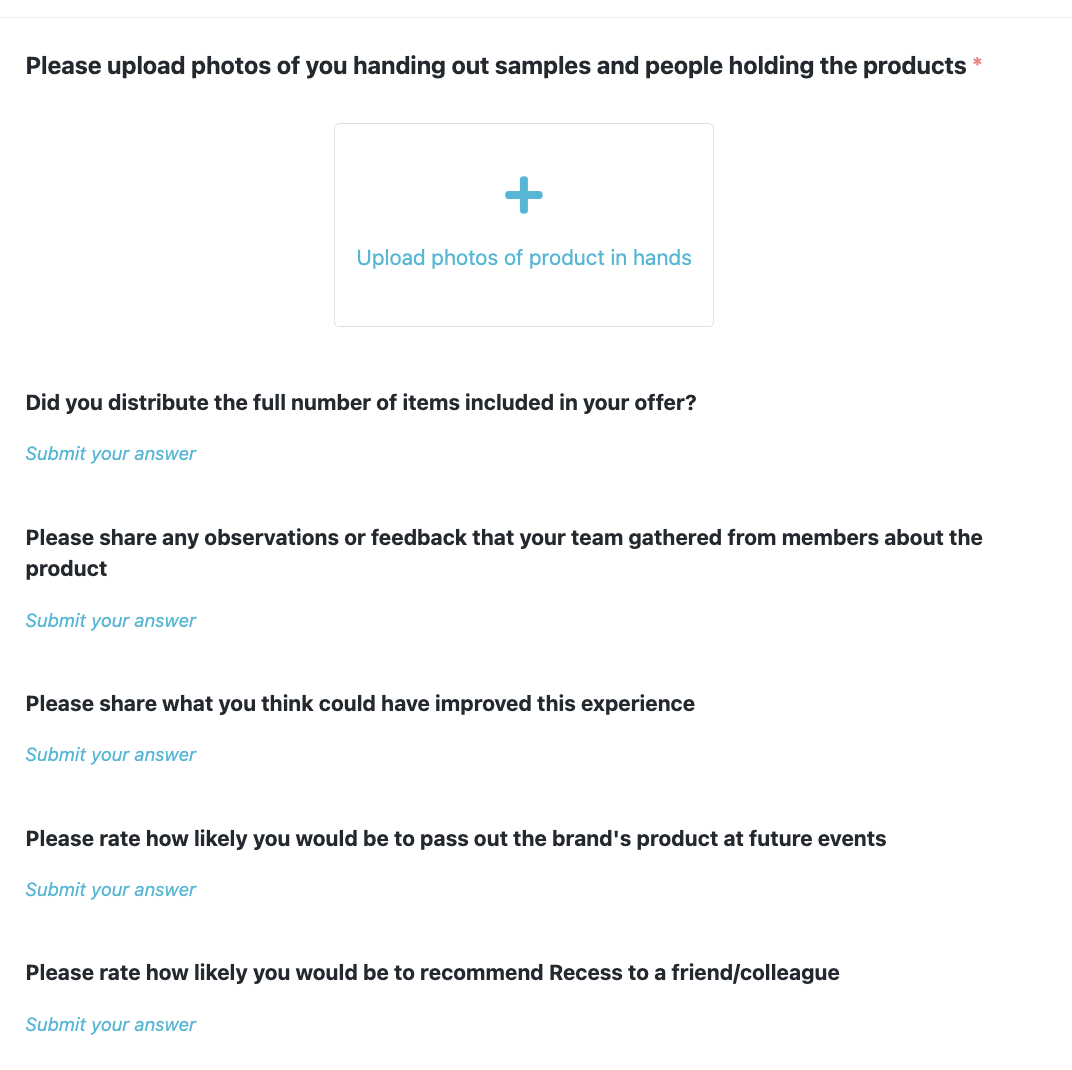
What a sampling recap asks for
- Photos of you handing out samples and people holding the products.
- Whether you distributed the full number of items.
- Feedback your team gathered from members about the product.
- What could have improved the experience.
- Two quick ratings (likelihood to host the brand again, likelihood to recommend Recess).
What a digital (omnichannel) recap asks for
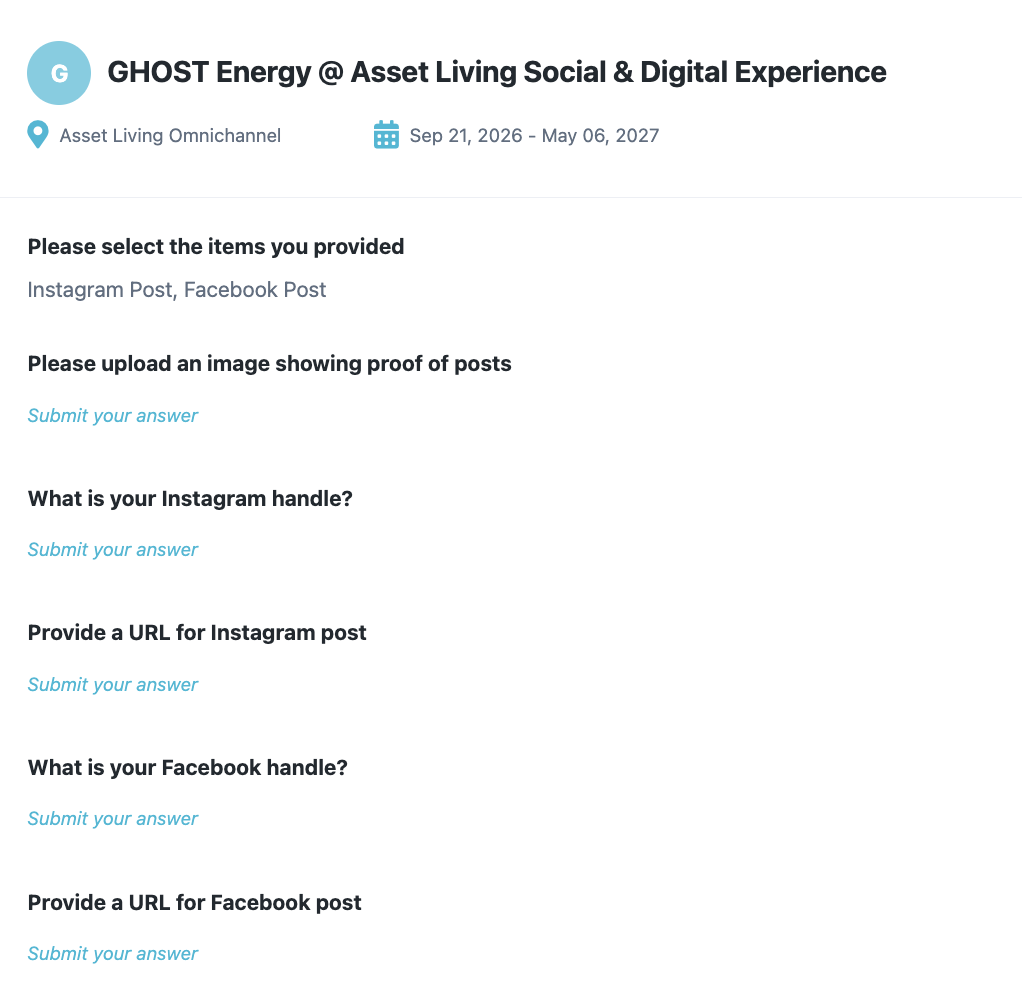
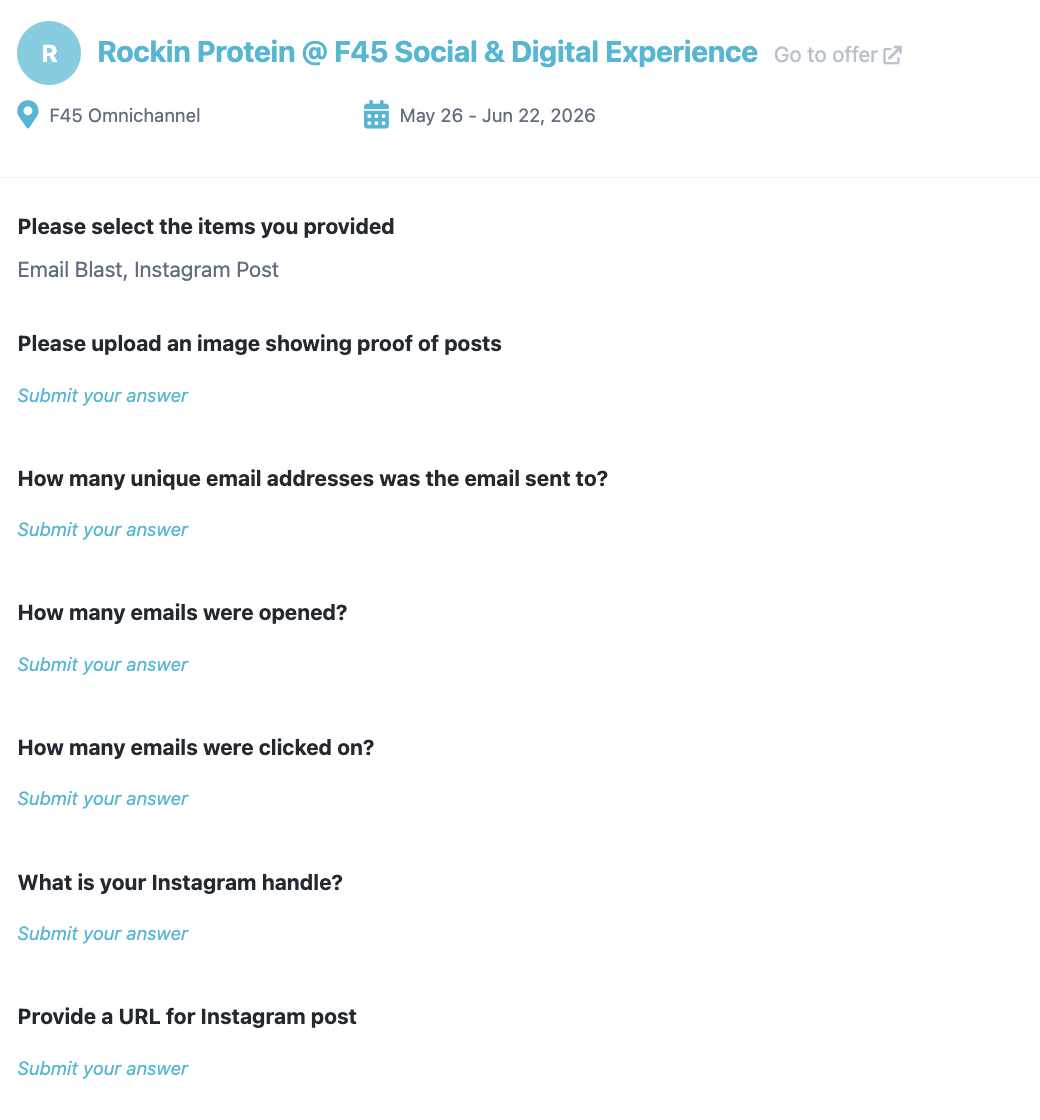
You’ll first select what you delivered (e.g., Email Blast, Instagram Post, Facebook Post), then fill in proof for each.
- Social posts: screenshot of the live post, your handle, and the post URL.
- Email blasts: screenshot of the sent email, plus numbers (sent, opened, clicked).
Heads up: If your offer includes both sampling and digital, you’ll have two separate recaps. Both must be submitted before payouts are processed.
After you submit
Recess reviews every recap. If everything looks good, it’s marked Published and your payout is processed. If something is missing or unclear (blurry photos, not all items distributed, missing proof of post or email), Recess will Unsubmit the recap with a reason — just fix it and resubmit.
Why due dates matter
Recaps are due 5 days after your activation. Payouts cannot be processed if recaps are late or never submitted. If you anticipate missing the deadline, reach out to your Account Support Specialist before the due date.
Need help?
- Claire — claire@recess.is
- Francisco — francisco@recess.is
- The Recess team — events@recess.is