![recess-icon-aqua-transparent.png]](https://help.recess.is/hs-fs/hubfs/recess-icon-aqua-transparent.png?height=40&name=recess-icon-aqua-transparent.png)
Learn how to review brand partnership offers in your Recess account, accept the ones you want to host, and deny the ones that aren’t a fit.
How you’ll know you have a new offer
When a brand sends you a new partnership offer, you’ll receive an email from Recess <events@recess.is> with the subject line:
“Congrats! You have [N] Partnership Offer(s) Ready to be Accepted”
The email previews one of your pending offers, including:
- Date Offer Expires — offers expire 7 days after they are submitted
- Sponsorship Payout — the amount you’ll be paid
- Sponsor — the brand sending the offer
- Activation Type — e.g., Product Sampling, Omnichannel
- Event Name & Date — the activation date at your venue
See your list of offers
Log into the Recess platform and click the Offers tab in the sidebar, or go directly to app.recess.is/offers?scope=pending. New to Recess? Use the “Set Password & Review Offers” link in your email to create your account first.
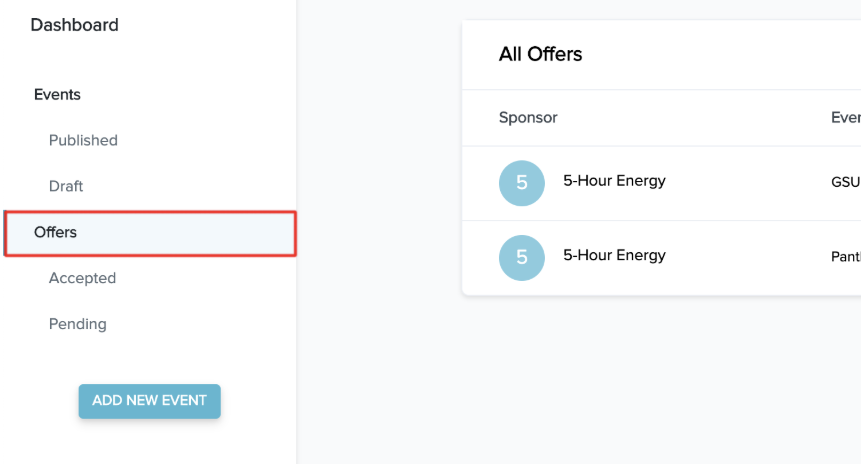
View offer details
Click any offer tile to open the full details. Each offer is broken into three sections:
- Offer Details — sponsor info, expiration date, payout amount, and the activation type (Product Sampling or Omnichannel)
- Organizer Provides — what you commit to deliver
- Brand Provides — what the brand will send you
Note: You may receive multiple offers per brand purchase (e.g., one for sampling, one for omnichannel). Review each one separately.
To accept an offer
- Open the offer from your Offers tab.
- Read through each of the three sections (Offer Details, Organizer Provides, Brand Provides).
- Click the checkbox at the end of each section to confirm you understand and agree to the terms.
- Once all three checkboxes are selected, click the Accept Offer button that appears.
- Set your shipping address. Right after accepting — on the same screen — you’ll be prompted to enter the shipping address where the brand should send the product. This is required to complete the acceptance.
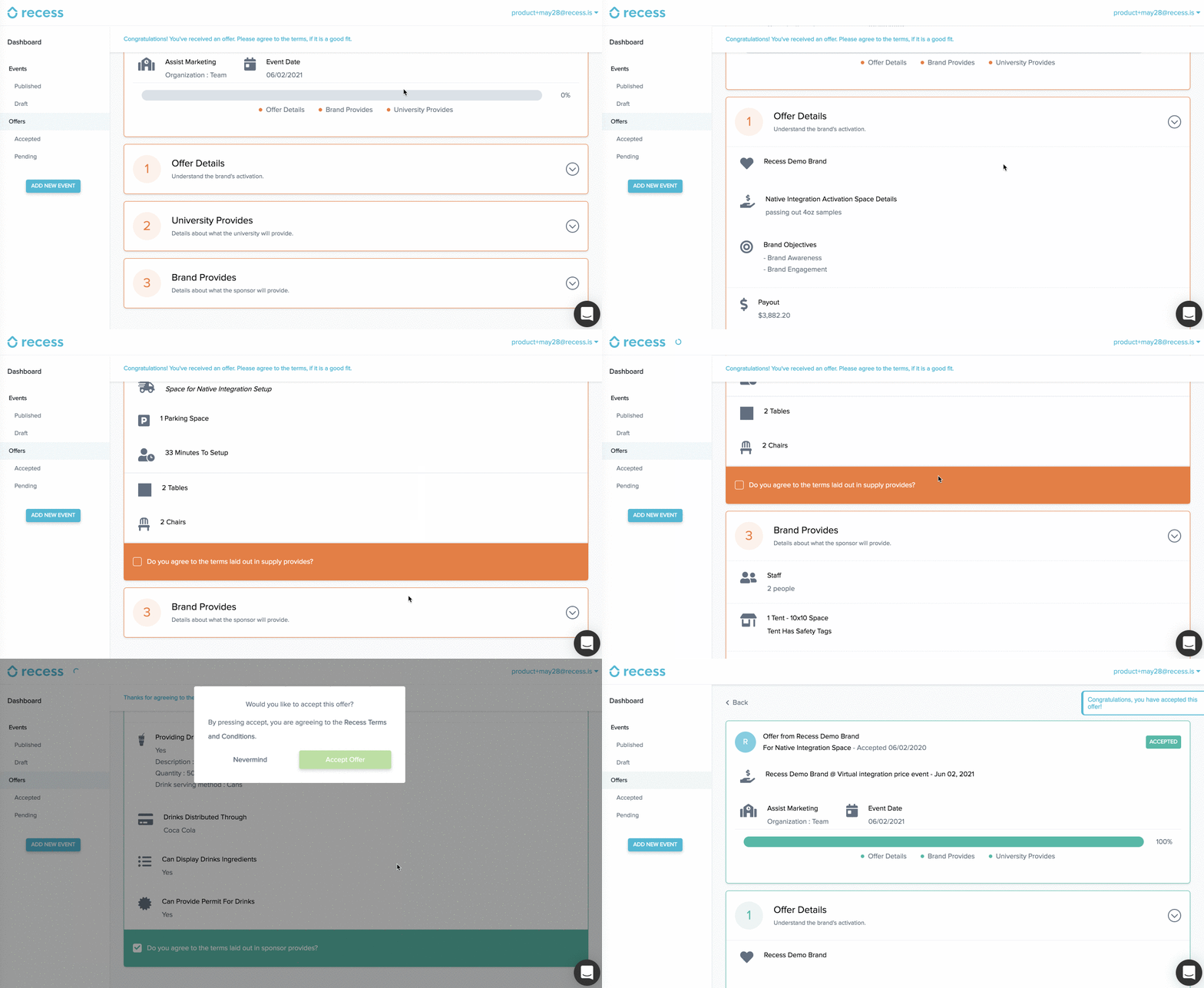
After you accept: You’ll receive execution guidelines from the Recess team. Your payout is processed after you submit your recap.
To deny an offer
- Open the offer from your Offers tab.
- Click the Deny button in the top right.
- Select a reason from the list of common denial reasons, or choose “Other” to write your own.
- Be thorough — the brand may revise and resubmit their offer based on your feedback.
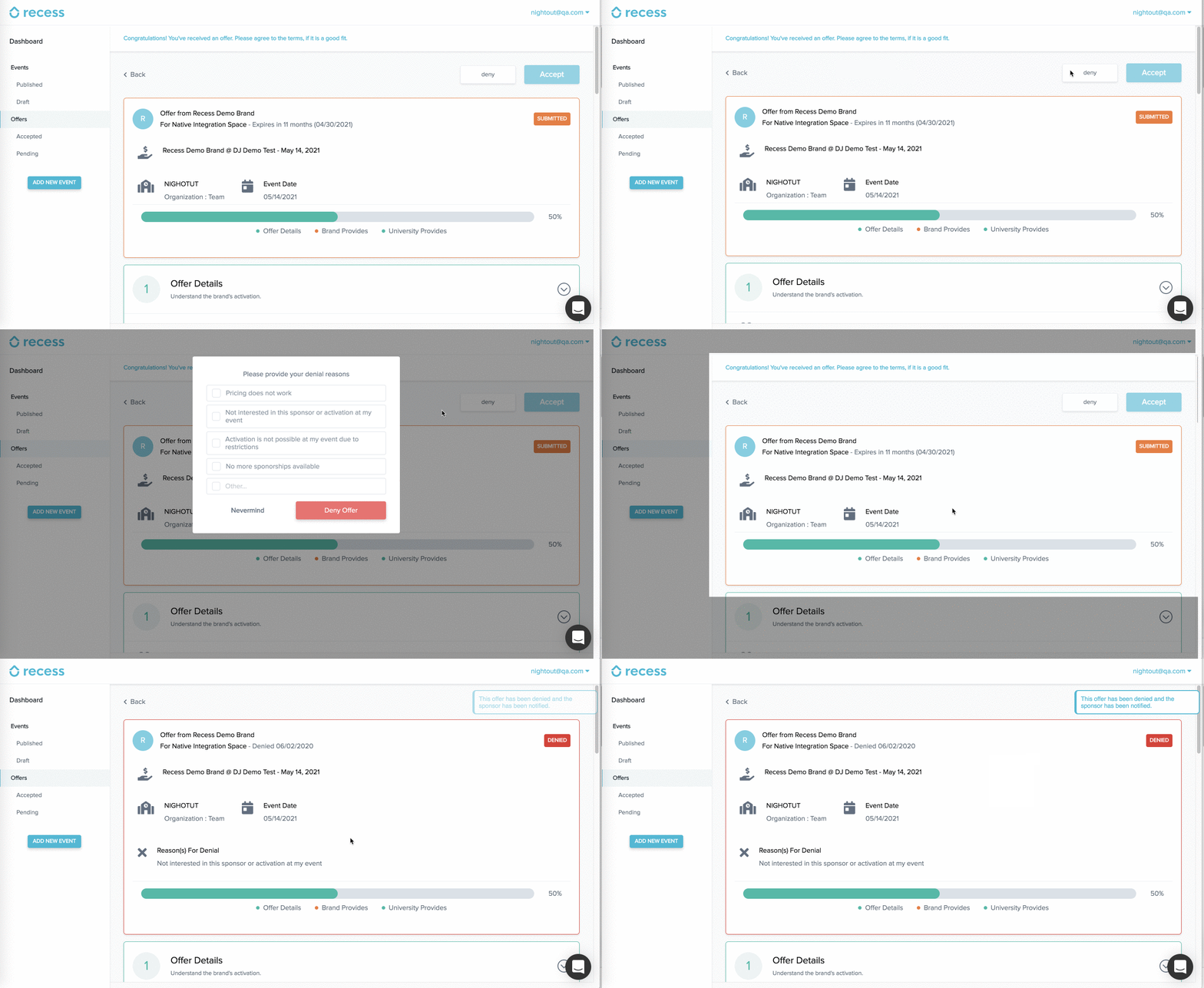
Need more time to decide?
Offers expire 7 days after submission. To request an extension, email events@recess.is before the offer expires.
Need help?
If you have questions about an offer, the terms, or the activation:
- Claire — claire@recess.is
- Francisco — francisco@recess.is
- The Recess team — events@recess.is
You can also schedule a meeting if you’d like to walk through an offer together.